Lesson 5 — Traffic Light: Correct Order (Level 2)
Overview
This module is about correct order and following a simple sequence.
Goal
Set the traffic light in the correct order: Red → Yellow → Green.
How to complete this challenge
- Click on the ‘Open in Scratch to reach coding’ button.
- Click on the Traffic Light icon inside the Sprite section.
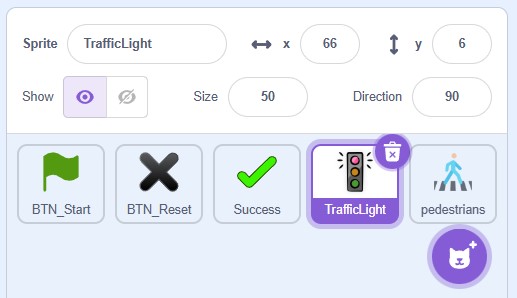
- Now you have to search for this section in the middle:
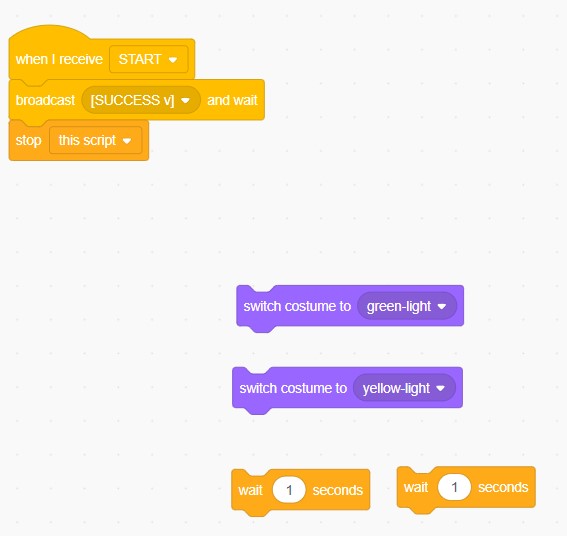
- Arrange the “switch costume” blocks in the correct order.
- Add short waits between colors.
- Press the green flag to run your sequence.
- If the final color is not green, rearrange and try again.
Tip
Focus on the order. Small steps, clear sequence.
Completion
You complete the module when the sequence ends on Green and the success message appears.